

How to Get Your License for FlowAppz Applications
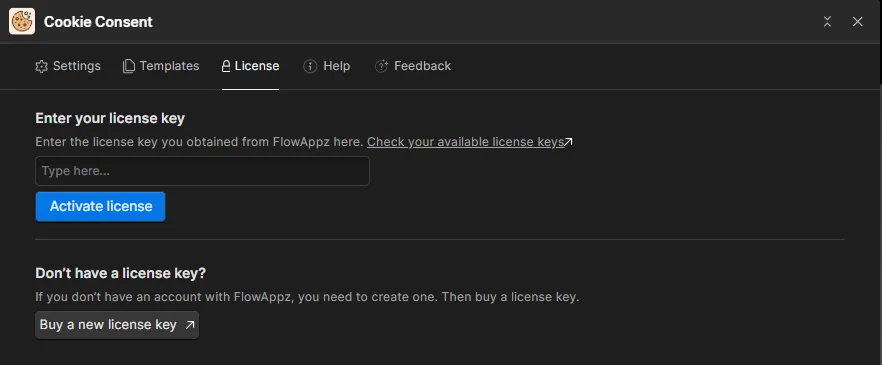
When you install a Premium FlowAppz app in Webflow, you will get a license page section where it's asking for a license key. This guide will walk you through the process of accessing your license via our customer portal at app.flowappz.com.
Step 1: Access the Customer Portal
- Visit app.flowappz.com.
- Log in using the email address or Gmail, or create a new account.
Step 3: Retrieve Your License Key
After logging in:
- Navigate to the Licenses section.
- Find the application you installed.
- Press Buy new license or get your unique license key from the list.
Step 4: Activate Your Webflow Application
To activate your FlowAppz application:
- Open Webflow and navigate to your installed application settings.
- Paste the license key into the activation field.
- Click Activate to unlock all features.
Need Help?
If you experience any issues accessing your license, please contact our support team via support@flowappz.com.
Watch the full guide on YouTube: How to Get Your License
Would you like any modifications or additional details?

