On this page
Model it before you build it
Almost every job board problem traces back to the content model, so start there.
Jobs collection:
Title,SlugDepartment(reference → Departments)Location(reference → Locations)Type(option: full-time, part-time, contract, internship)Remote(option: on-site, hybrid, remote)Salary min/Salary max(number),Salary currency(option)Summary(plain text, ~200 characters, for cards)Description(rich text)Requirements,Benefits(rich text)Posted date,Closing date(date)Apply URL(link, optional — for roles handled by an ATS)
Departments and Locations as separate Collections, each with a Collection page. They become filter options and, more importantly, indexable landing pages: /careers/engineering, /careers/london. Those pages rank for "engineering jobs London" in a way a filter state never will.
Two modelling decisions that matter:
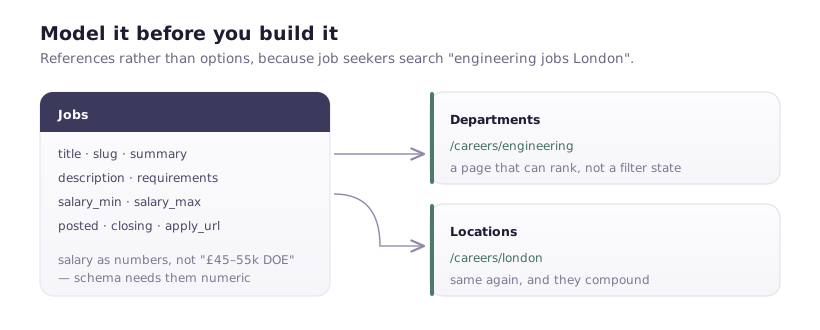
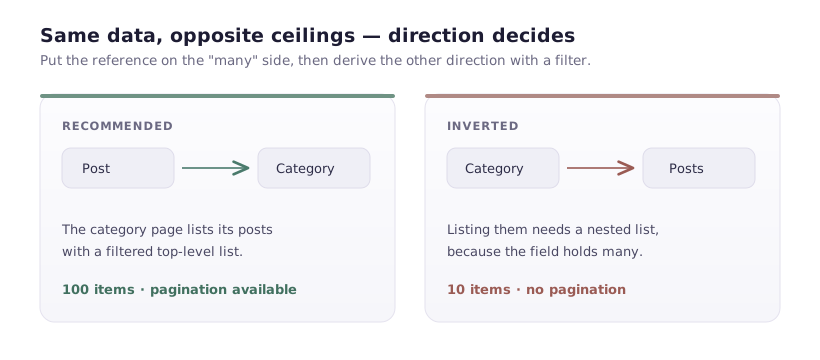
Reference, not option, for department and location. Options are simpler but can't have pages, and job seekers search for exactly those combinations.
Separate salary min and max as numbers, not a text field. Structured data needs them numeric, and "£45-55k DOE" can't be parsed.
The listing page
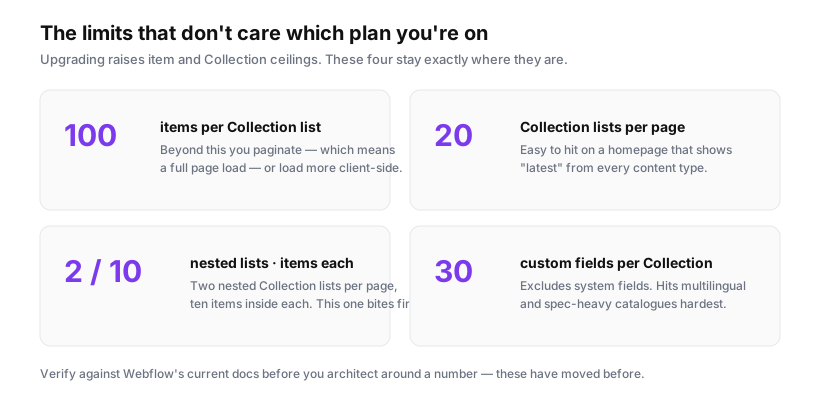
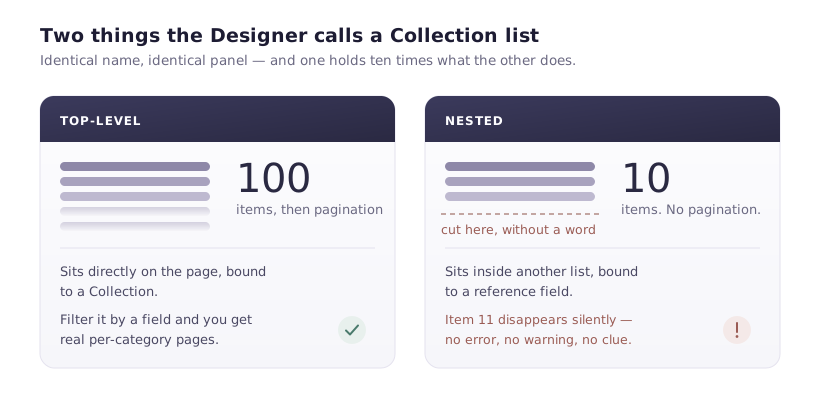
A top-level Collection list bound to Jobs, sorted by posted date descending. Remember the ceiling: 100 items without pagination.
Most job boards never approach 100 open roles, so this is usually fine. If yours might, decide now — native pagination, or splitting by department into separate pages. Do not build client-side filtering over a truncated list; you'll filter the first hundred and quietly hide the rest.
Each card carries the filterable values as attributes:
<div class="job-card"
     data-department="engineering"
     data-location="london"
     data-type="full-time"
     data-remote="hybrid">
  <h3>Senior Webflow Developer</h3>
  <p class="meta">Engineering · London · Full-time · Hybrid</p>
  <p class="summary">…</p>
</div>
Bind each attribute to the relevant field's slug in the Designer.
Filtering
Four filter groups, combining as AND across groups and OR within a group — the behaviour people expect: "engineering OR design roles, that are remote".
(function () {
  const cards = Array.from(document.querySelectorAll('.job-card'));
  const boxes = Array.from(document.querySelectorAll('[data-filter-group]'));
  const empty = document.querySelector('.no-results');
  const count = document.querySelector('.result-count');

  function apply() {
    // Group selected values: { department: ['engineering'], remote: ['remote'] }
    const groups = {};
    boxes.filter(b => b.checked).forEach(b => {
      const g = b.dataset.filterGroup;
      (groups[g] = groups[g] || []).push(b.value);
    });

    let visible = 0;

    cards.forEach(card => {
      // Every active group must match (AND); any value within it counts (OR).
      const match = Object.entries(groups).every(([group, values]) =>
        values.includes(card.dataset[group])
      );
      card.hidden = !match;
      if (match) visible++;
    });

    if (empty) empty.hidden = visible !== 0;
    if (count) count.textContent = `${visible} ${visible === 1 ? 'role' : 'roles'}`;
  }

  boxes.forEach(b => b.addEventListener('change', apply));
  apply();
})();
Object.entries(groups).every(...) returns true for an empty object, so no filters means everything shows — no special case needed.
The result count is not decoration. "3 roles" after filtering tells someone immediately whether to widen their search, and it's the difference between a filter that feels responsive and one that feels broken.
The job detail page
A Collection page bound to Jobs. Beyond the obvious fields, three things worth getting right:
A visible closing date, and conditional visibility to show a "this role has closed" state rather than an apply button for expired roles. Webflow can't compare a date to today natively — either add a Status option field an admin flips, or check in JavaScript:
const closes = document.querySelector('[data-closing-date]')?.dataset.closingDate;
if (closes && new Date(closes) < new Date()) {
  document.querySelector('.apply-section').hidden = true;
  document.querySelector('.closed-notice').hidden = false;
}
Salary displayed. Listings with salary get substantially more applications, and in a growing number of jurisdictions publishing a range is a legal requirement. If you have the fields, use them.
One clear apply route. Either an on-page form or a link to your ATS — not both.
Applications
Two options, and the decision is about volume.
Webflow form — name, email, CV upload, cover note, plus a hidden field carrying the job title so submissions are attributable. Simple, and adequate for a handful of roles.
The constraints: the file upload cap (10MB — state it next to the field, since CVs with portfolios exceed it more often than you'd think), and submissions landing in Webflow's dashboard rather than a hiring pipeline. Route them to a real inbox or ATS immediately; a shared inbox nobody owns is how candidates get ignored.
Link to an ATS — Greenhouse, Workable, Ashby. Right answer once you're hiring at volume, because you get pipeline management, collaborative review and compliance handling. Use the Apply URL field so some roles can go to the ATS while others use the form.
JobPosting schema
This is what gets your roles into Google Jobs, which is the highest-leverage thing on this page. Add it to the Collection page template, binding fields:
<script type="application/ld+json">
{
  "@context": "https://schema.org",
  "@type": "JobPosting",
  "title": "JOB TITLE FIELD",
  "description": "JOB DESCRIPTION FIELD",
  "datePosted": "POSTED DATE FIELD",
  "validThrough": "CLOSING DATE FIELD",
  "employmentType": "FULL_TIME",
  "hiringOrganization": {
    "@type": "Organization",
    "name": "Your Company",
    "sameAs": "https://yoursite.com",
    "logo": "https://yoursite.com/logo.png"
  },
  "jobLocation": {
    "@type": "Place",
    "address": {
      "@type": "PostalAddress",
      "addressLocality": "London",
      "addressCountry": "GB"
    }
  },
  "baseSalary": {
    "@type": "MonetaryAmount",
    "currency": "GBP",
    "value": {
      "@type": "QuantitativeValue",
      "minValue": 45000,
      "maxValue": 55000,
      "unitText": "YEAR"
    }
  }
}
</script>
Specifics that break it:
Dates must be ISO 8601. Set the date field format accordingly, not "3 May 2026".
description must be the full description, as HTML, not the summary. Google uses it directly.
Remote roles need jobLocationType: "TELECOMMUTE" plus applicantLocationRequirements naming eligible countries — otherwise a remote role appears tied to your office.
validThrough matters. Expired listings still appearing in Google Jobs frustrate searchers, and Google may stop trusting your feed. Set it, and unpublish roles when they close.
Validate with the Rich Results Test before assuming it works.
The parts people forget
Unpublish closed roles. A careers page listing four roles that closed in March is worse than listing none.
Sensible URLs. /careers/senior-webflow-developer-london, not /careers/job-47.
A no-vacancies state. Something better than an empty grid — an invitation to send a speculative application, with a form.
Test on a phone. A large share of job searching happens on mobile, often on a commute, and a CV upload flow that assumes a desktop file picker loses candidates at the last step.