On this page
We build one of the tools in this comparison, so read it with that in mind. We have tried to write the version we would want to read if we were choosing — which means saying plainly where other tools are the better answer.
There are three categories, and most of the decision is picking the right category rather than the right product within it.
The three categories
Native Webflow apps install into your project and are configured in the Designer. Styling uses real Webflow elements. Setup is fast, and the tool understands Webflow specifically. Examples include our own Cookie Consent, Flowstar, and several marketplace entries.
Established CMPs — Cookiebot, CookieYes, Cookie-Script, Osano, Enzuzo, iubenda — are platform-agnostic services you connect via a script. They bring automatic cookie scanning, audit trails, multi-domain management and legal-grade documentation. Styling means overriding someone else's CSS.
Free clonables are Webflow templates with hand-written consent logic. One has been cloned over ten thousand times. Full control, no cost, and every piece of maintenance is yours.
When an established CMP is the right answer
Be honest with yourself about these. If any apply, a dedicated CMP is probably worth the money:
- You need automated cookie scanning. Enterprise CMPs crawl your site on a schedule and maintain a cookie inventory automatically. Native apps generally do not. If you have a large site with cookies you cannot enumerate by hand, this alone justifies the cost.
- You need documented consent records for audit. Timestamped proof of who consented to what, exportable. Some regulated industries need this and it is not optional.
- You manage many domains. A single dashboard governing consent across thirty client sites is worth real money to an agency.
- You need IAB TCF support. Programmatic advertising via the Transparency and Consent Framework is specialist territory. Most native apps do not implement it.
- Your legal team has already chosen one. Do not fight this. The tool is not the interesting part of compliance.
When a native Webflow app is the right answer
- Design control matters and the site is one project. Styling within the Designer, using your own classes and breakpoints, avoids the flicker and specificity fights that come with overriding a vendor stylesheet.
- You want the banner to survive a redesign. Real Webflow elements move with your site. An injected widget is a separate thing to re-check.
- Setup speed matters. Configuring an ID in an app panel is faster than pasting snippets and reconciling script order.
- The budget is small or zero. Free tiers on native apps are usually genuinely usable rather than a trial.
When a free clonable is the right answer
- You are comfortable maintaining JavaScript, and will still be around in a year when it needs updating.
- The site is simple — a handful of tags, one region, no audit requirement.
- You want to understand the mechanism. Reading a clonable's code is the fastest way to learn what a consent layer actually does.
The failure mode is predictable: clonables are adopted by someone technical and inherited by someone who is not. When Consent Mode v2 arrived, a lot of cloned banners quietly stopped meeting the requirement, because nobody owned them.
What to check, whatever you pick
The category matters less than these five questions. Ask them of any tool, including ours:
- Does it actually block scripts before consent, or only display a dialog? Verify it yourself — here is the ninety-second check.
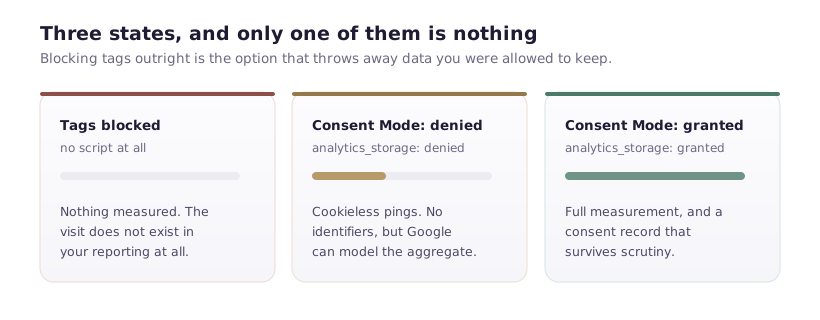
- Does it support Consent Mode v2? Mandatory since March 2024 if you advertise to the EEA.
- Can a visitor change their mind? A required capability that is frequently missing.
- Does it handle your third-party pixels, or only Google's tags?
- Does the free tier do what you need, or does the necessary feature sit behind a plan?
Where ours sits
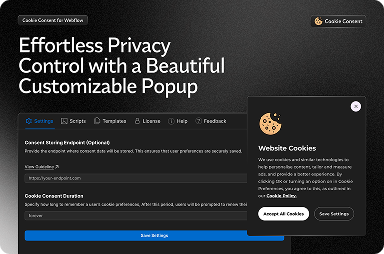
FlowAppz Cookie Consent is a native Webflow app, Approved by Webflow, with a free tier. It is configured in the Designer, gates Google Analytics through an ID you provide rather than a pasted snippet, and supports region rules for showing different banners in the EEA and elsewhere.
It is a good fit for single sites and agency builds where design control matters and setup speed is worth something.
It is not the right choice if you need automated cookie scanning, exportable audit-grade consent records, or IAB TCF support. Those are genuine gaps, and a dedicated CMP will serve you better. We would rather tell you that now than have you discover it during a compliance review.
A note on rankings
You will find "best cookie consent app for Webflow" lists that are ranked by companies selling one of the entries — including lists we are not on, and lists our competitors top. Weight them accordingly, and prefer the five questions above to anyone's score, ours included.