On this page
Showing a consent banner to every visitor on earth is the safe default, and it costs you conversions in markets that never required it. Showing it only in the EEA is legitimate, widely practised, and slightly riskier than the people recommending it usually say.
This is the reasoning, not just the setting.
What region targeting actually does
A consent tool reads the visitor's approximate location from their IP address and applies a different rule set. In practice, three configurations cover almost everyone:
- Worldwide — the same banner for everyone, opt-in by default
- EEA only — strict opt-in inside the European Economic Area, nothing elsewhere
- Mixed — opt-in in the EEA, a lighter notice in California and other US states with privacy laws
Different obligations produce different interfaces, which is why "just show it everywhere" is not automatically the most correct answer — it is simply the most cautious one.
The case for restricting it
Conversion. A consent dialog is friction. In markets with no opt-in requirement it buys you nothing and costs you attention at the exact moment a visitor is deciding whether to stay.
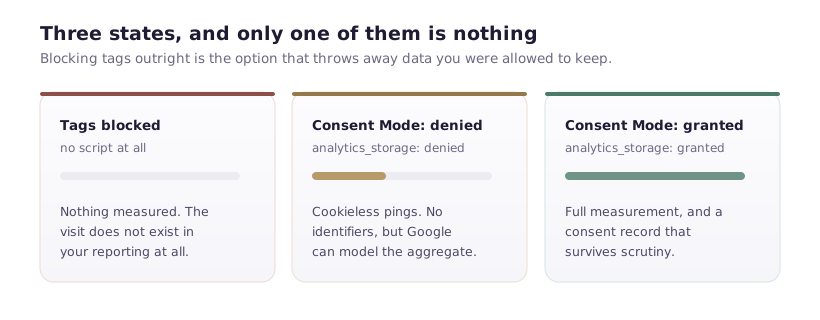
Data quality. Every declined banner is a gap in your analytics. Not showing a banner where none is required means those visitors are measured normally.
Relevance. A GDPR-worded dialog shown to a visitor in Singapore is noise. Worse, it can read as boilerplate rather than a genuine choice, which undermines the credibility of the one shown to visitors who do need it.
The case against
IP geolocation is approximate. VPNs, corporate networks routing through another country, and mobile carriers all produce wrong answers. A German visitor routed through a US exit node sees no banner, and the obligation to them did not disappear because your lookup was wrong.
The law follows the person, not the packet. GDPR attaches to people in the EEA. Location detection is a proxy for that, and proxies fail at the edges.
Scope creeps. Brazil's LGPD, Canada's PIPEDA, several US states, and more arriving each year. A rule set built around "EEA versus everyone" needs revisiting more often than most teams revisit anything.
How to decide
A reasonable default by situation:
Show it everywhere if your audience is mostly European, you are in a regulated industry, you have enterprise buyers whose procurement will ask, or nobody owns this configuration long-term. Simplicity is worth real money when the alternative is a rule set that silently rots.
Restrict by region if you have meaningful traffic from regions with no opt-in requirement, someone reviews the configuration when laws change, and you have measured the conversion difference rather than assumed it.
Use mixed rules if you have serious US and EU traffic and can maintain two configurations properly. This is the most correct option and the highest maintenance.
Testing region rules
The failure mode here is thinking your banner is broken when it is behaving exactly as configured. If you set EEA-only and test from outside the EEA, nothing appears — and that is correct.
To test properly, use a VPN with an exit node inside the EEA and one outside, and check both in private windows. Confirm the banner appears in one and not the other, and that the one that appears is genuinely opt-in rather than a notice.
Do this after every change to the rule set. Region configuration is unusually easy to get subtly wrong and unusually hard to notice.
A word on the safe answer
If you are unsure, show it everywhere. Every argument for restricting it is an optimisation, and optimisations are worth having only once the basic thing is correct and maintained. A banner shown to everyone that genuinely blocks scripts beats a cleverly targeted one that does not.
Region rules are configured in the Cookie Consent app's settings — the region documentation covers the specific options.