

General
General settings for the Date Picker input.
Label
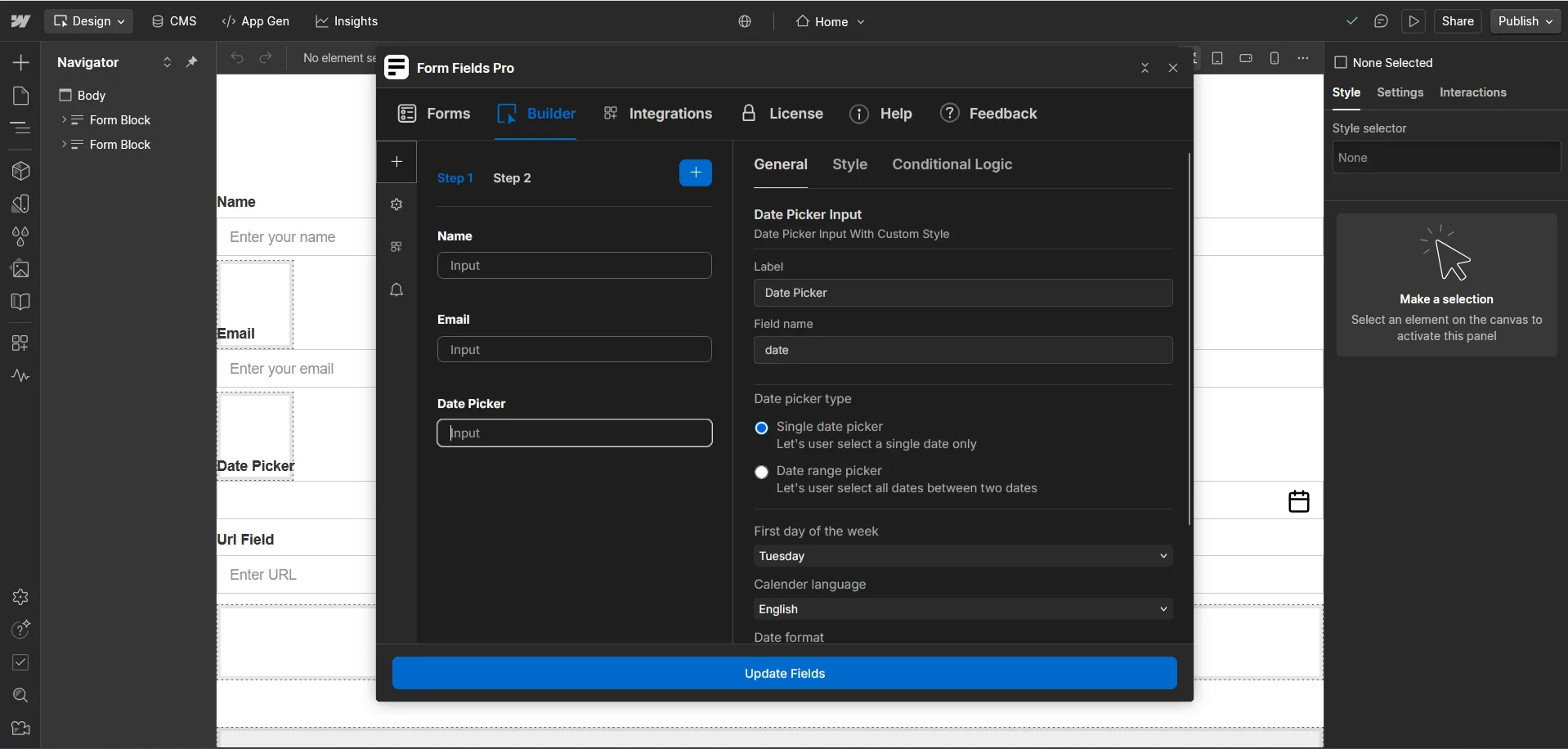
Here, you will add the label for your date picker input.
Field Name
Here, you will add the field name that will be used to save your date picker input's data.
Date Picker Type
- Single Date Picker
Let's the user select a single date only. - Date Range Picker
Let's the user select all dates between two dates.
First Day of the Week
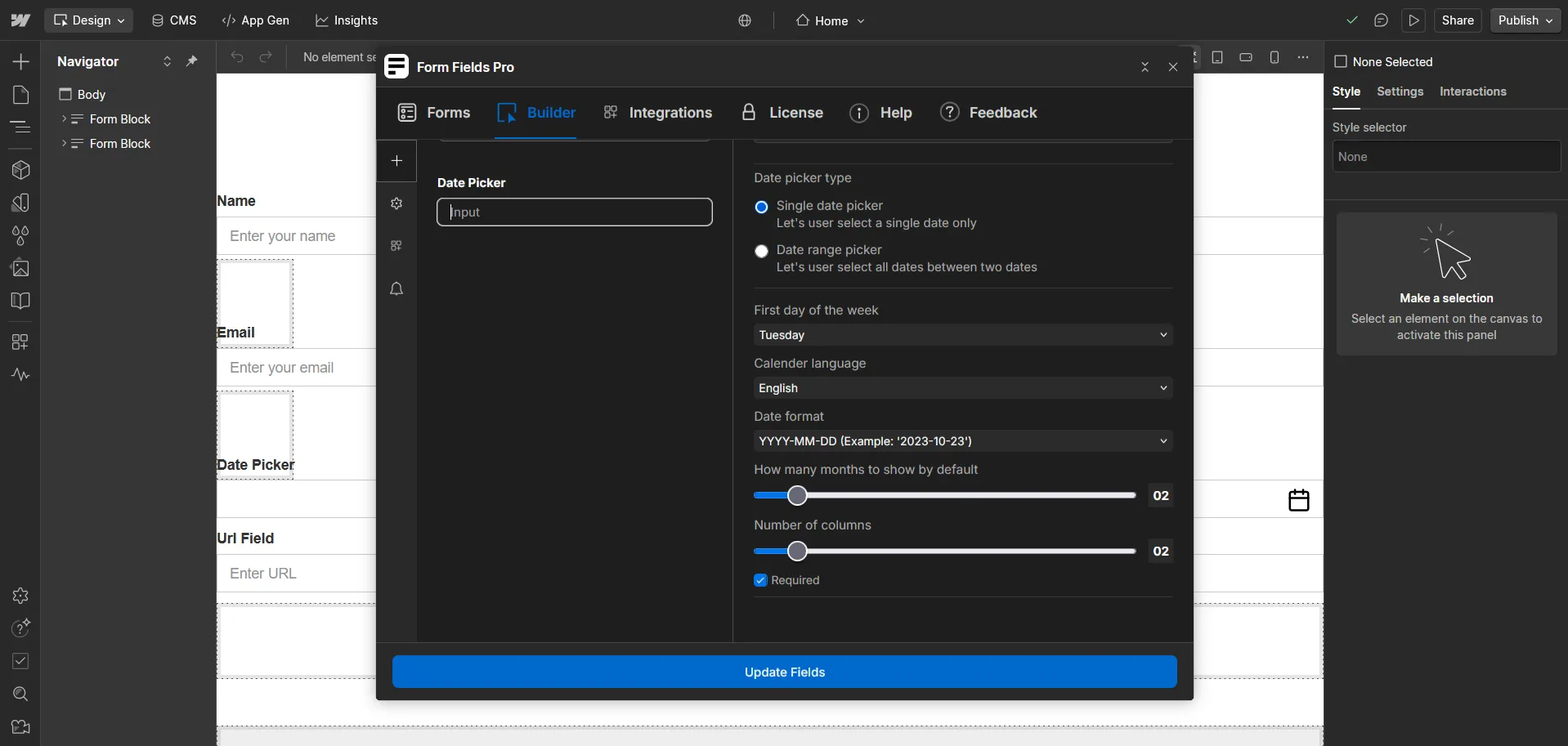
Here, you will set which day will be considered the first day of the week (e.g., Sunday or Monday).
Calendar Language
Here, you will set the language of the calendar (e.g., English, French, Spanish).
Date Format
Here, you will define the format in which the date should be displayed (e.g., MM/DD/YYYY).
How Many Months to Show by Default
Here, you will set the number of months to display by default (e.g., 1, 2, or 3 months).
Number of Columns
Here, you will set the number of columns to display in the calendar (e.g., 2 columns).
Required
Checking Required will make the select input field mandatory, preventing users from submitting the form without selecting an option.
Styles
Z-index
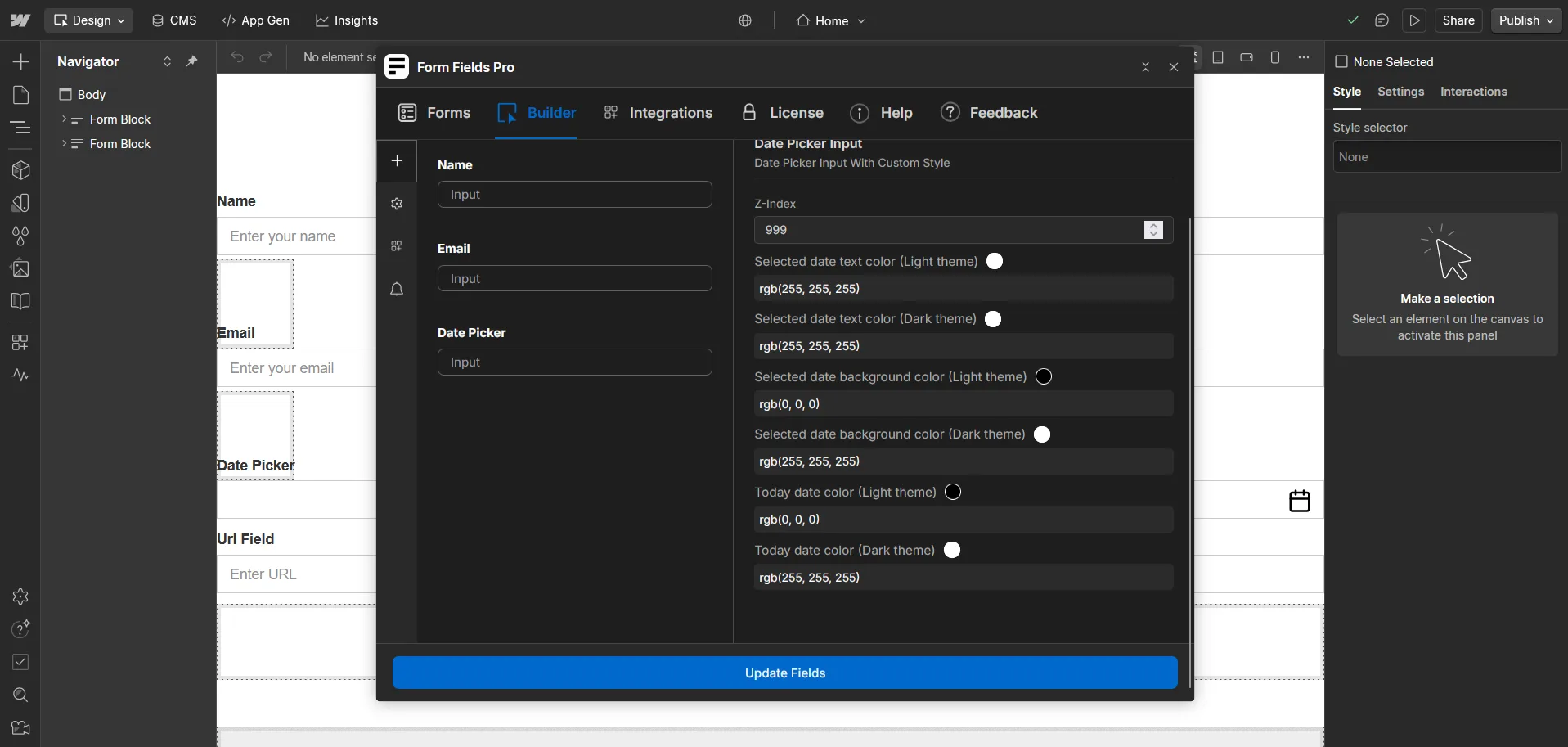
Here, you will set the Z-index for the date picker input, determining its stacking order on the page.
Selected Date Text Color (Light Theme)
Here, you will set the text color for the selected date when the user is using the light theme.
Selected Date Text Color (Dark Theme)
Here, you will set the text color for the selected date when the user is using the dark theme.
Selected Date Background Color (Light Theme)
Here, you will set the background color for the selected date when the user is using the light theme.
Selected Date Background Color (Dark Theme)
Here, you will set the background color for the selected date when the user is using the dark theme.
Today Date Color (Light Theme)
Here, you will set the color for today's date when the user is using the light theme.
Today Date Color (Dark Theme)
Here, you will set the color for today's date when the user is using the dark theme.

