









Editorial workflows for teams: staging content changes before publish
Webflow publishing is binary unless you design around it
Designer changes and CMS updates can go live the moment someone hits Publish. For marketing teams, that binary is risky: half-edited copy, placeholder images, and draft pricing can reach production because the staging story was “we will be careful.”
Define who may publish, what “ready” means, and how drafts live in CMS fields (draft switches, separate staging site, or duplicate collection) before you scale headcount.
Roles: author, reviewer, publisher
Authors should not need Designer access for text tweaks if your schema supports it. Reviewers need a predictable preview URL. Publishers should be few enough that accountability exists when something slips.
Checklists beat heroics
Ship a short launch checklist: SEO title present, OG image set, forms point to production integrations, analytics on, legal links current. Checklists feel bureaucratic until they save a weekend.
Bulk operations need guardrails
When editors import or bulk-update dozens of items, pair the operation with diff review and spot checks. Automated scale amplifies automated mistakes.
Bulk CMS Editor for high-volume editorial work
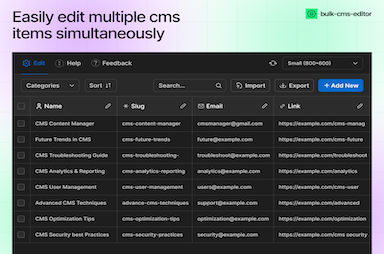
FlowAppz Bulk CMS Editor helps teams search, edit, export, and manage CMS items in bulk while keeping Webflow as the source of truth.
Explore Bulk CMS Editor for content-ops workflows.
Culture: blameless postmortems after incidents
When the wrong blog goes live, capture timeline and fix the process—not only the person. Teams that learn become less afraid of shipping improvements later.
Workflows are products. Iterate them like you iterate landing pages.


