









Conditional visibility and validation patterns for complex Webflow forms
Where native Webflow forms stop and product thinking begins
Webflow’s form block is excellent for straightforward lead capture: name, email, a message, maybe a select. The pain starts when stakeholders ask for conditional sections (“If budget = Enterprise, show security questionnaire”), multi-column responsive layouts that still submit one logical form, or field-level validation messages that match your design system. Native behaviour is predictable—which is good—but complex journeys need a layer that respects Designer structure instead of fighting it with opaque JavaScript blobs.
Pattern: progressive disclosure instead of twenty fields at once
Break long applications into steps or collapsible groups with a single submit where possible. Each group should have a clear heading, helper text, and a validation scope so users are not confronted with twenty red borders at once. In Webflow, that usually means combining layout components (divs, grid) with logic that toggles visibility based on prior answers.
The goal is cognitive load management, not cleverness. If a field is hidden, decide whether its value should clear on toggle—stale hidden values confuse both users and downstream CRM mappings.
Pattern: validation that reads like human feedback
Replace generic “Invalid” copy with specific recovery guidance (“Use your work email so we can route the trial license”). Tie messages to the field that failed, keep colour + icon + text so colour-blind users are not left guessing, and preserve focus management for keyboard users when errors appear after submit.
Pattern: dependent selects and references
When one dropdown filters the next, document the data contract: which CMS reference or static option list powers each level, and what happens while the child list reloads. Empty states (“No regions for that country yet”) are part of the UX, not edge cases.
When to reach for Form Fields Pro
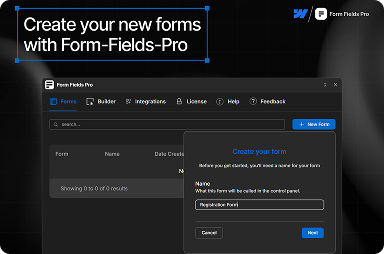
FlowAppz Form Fields Pro exists for teams that want stronger form primitives inside Webflow—richer components and patterns without abandoning the Designer workflow your studio already trains on.
See Form Fields Pro for supported field types and layout ideas.
Delivery checklist for complex forms
- Map required vs optional fields to CRM columns before build.
- Define error copy per field group, not per developer mood.
- Test mobile one-thumb flows and autofill behaviour on real devices.
- Log a sample submission in staging with the same integrations as production.
Complex Webflow forms succeed when structure, validation, and integrations are planned as one system—not three tickets filed on launch week.


