









Internal linking patterns for CMS-driven topic clusters in Webflow
Topic clusters need a human hub, not only a sitemap entry
A cluster is a pillar page plus supporting articles that answer specific long-tail questions. In Webflow, the failure mode is a beautiful blog with no cross-links: every post is an island, related posts widgets repeat the same three items, and the pillar never earns internal PageRank because nothing points to it with descriptive anchors.
Start by naming the hub URL and the exact anchor phrases editors should reuse when they mention sibling articles.
Avoid duplicate routes for the same intent
Marketing sometimes clones a CMS template to “try a second URL.” Search engines see near-duplicates; analytics sees split metrics. Prefer one canonical URL per primary intent and use collection fields or redirects when you must retire experiments.
Patterns that work inside Webflow Rich Text
- Inline contextual links (“We covered consent defaults in …”) beat generic “Read more” sidebars.
- Use reference fields for manual related content when algorithms are overkill.
- Keep anchor text specific (“File upload security checklist”) instead of “click here.”
Navigation and footers
Global footers should surface stable hubs (product areas, guides, support) rather than every blog tag. Mega-menus help enterprises; smaller sites win with clarity.
When filtering surfaces cluster entry points
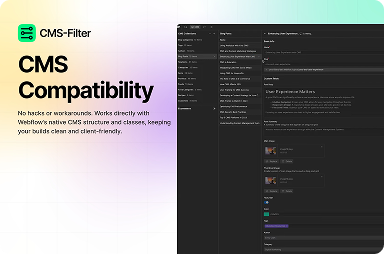
Filtered collection views can act as secondary hubs (“All GDPR articles”) if titles, intros, and metadata stay unique per view. FlowAppz CMS Filter makes those views pleasant to use without bespoke engineering each time.
Explore CMS Filter for collection-driven hubs.
Quarterly hygiene
- Broken internal links from renamed slugs.
- Hubs that list retired products.
- Orphan posts with zero inbound internal links.
Strong clusters compound; weak ones compete with themselves.


