









Collection list limits, filtering, and pagination: keeping large catalogs fast in Webflow
What Webflow actually ships to the browser
Collection lists are convenient until they are large. Webflow renders items according to your list settings, filters, and limits—but the visitor still downloads markup and assets for what you expose. Very long pages with dozens of cards, each with big images and interactions, can still feel sluggish on mid-range phones even when you are “within limits.”
Start from a performance budget: how many items should appear above the fold before someone filters, and how heavy can each card be?
Native filters vs experiences visitors expect
Native collection list filters are powerful for simple rules—featured posts, exclude current item, match a reference. Product-style experiences often need multi-facet filters, counts (“12 templates”), URL-addressable state, and empty states that do not look like broken layouts. That gap is where teams either over-build custom JavaScript or under-spec UX and blame Webflow.
Document the behaviours you need before you choose an approach: SEO implications of client-only filtering, whether deep links must restore filter state, and how pagination interacts with analytics.
Pagination, “load more,” and SEO
Each pattern trades crawlability, complexity, and perceived speed. Pagination with stable URLs can be easier for bots to traverse when implemented thoughtfully; infinite scroll feels modern but can hide deep items from casual crawls unless you add supporting structure. Pick based on catalog size and marketing goals, not only aesthetics.
Empty, loading, and error states are part of the feature
When a filter returns zero items, say so with guidance (“Try clearing Industry = Healthcare”) instead of a blank column. When data is loading after a filter change, show skeletons or a lightweight spinner in the list region—not a full-page flash.
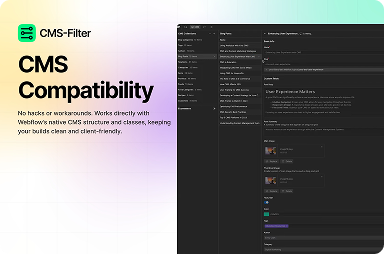
CMS Filter for Webflow-native faceting
FlowAppz CMS Filter adds advanced filtering to collection UIs without forcing your studio to maintain a brittle script per client.
See CMS Filter for how filters attach to collection lists inside the Designer.
Review checklist before you sign off a large catalog
- Largest realistic collection size tested on 4G and low-end Android.
- Images lazy-loaded and sized for card thumbnails, not hero dimensions.
- Filters update the UI without layout thrash or double-fetch bugs.
- Analytics events named so you can compare list views vs detail views.
Large Webflow catalogs stay fast when limits, filters, and pagination are designed as one system—not three tickets merged at the end.


