









Building a resource library UX that scales on Webflow
Libraries fail in the gaps between CMS and design
A resource library sounds simple: cards, filters, download buttons. It fails when taxonomy is fuzzy, counts lie, filters reset mysteriously, or the “no results” state looks like a 404. On Webflow, your CMS schema is the backbone—if reference fields and option fields drift from how designers label the UI, visitors lose trust immediately.
Category design that matches mental models
Choose categories that match how people search (“Industry,” “Use case,” “Asset type”) instead of how your sales team organizes Google Drive. Keep labels parallel (“Templates / Guides / Webinars”) and avoid orphan items that only appear when logged in as staff.
Counts and chips that communicate state
When visitors toggle filters, show how many items match or at least that results updated. Silent updates feel broken on slower connections. If counts are expensive to compute client-side, use approximate copy (“Dozens of matches”) or precomputed fields from the CMS where appropriate.
Card density and scan patterns
Libraries are scanned in F-patterns. Align titles, metadata rows, and actions so the eye finds the CTA without hunting. Use consistent thumbnail aspect ratios; mixed ratios make grids feel cheap even when the underlying content is excellent.
Empty states should teach, not shame
Explain why nothing matched and offer one-click recovery (clear filters, broaden category). Link to contact or newsletter capture only when it genuinely helps the user continue their job—not as a desperation popup.
CMS Filter as the interaction layer
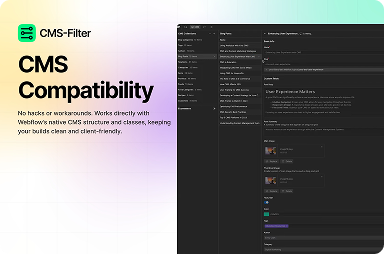
FlowAppz CMS Filter helps Webflow studios ship facet-style filtering on collection lists while keeping presentation in the Designer.
Learn more at CMS Filter.
Launch QA for resource hubs
- Mobile filter drawer or horizontal chips: can a thumb reach everything?
- Keyboard: can users move through filters and cards without traps?
- Does each filter combination have a sensible title or H1 strategy for landing variants?
Libraries scale when taxonomy, UI states, and performance are negotiated up front—not after launch analytics panic.


