









Popup Builder in Webflow: templates, timing, and respectful frequency
Popups fail when they feel like accidents
If a modal appears before the hero renders, blocks the close button on mobile, or returns on every navigation, visitors learn a reflex: dismiss first, read never. Good Webflow builds treat modals like product UI: predictable entry, obvious exit, and timing that respects attention.
Start from a template, then brand it hard
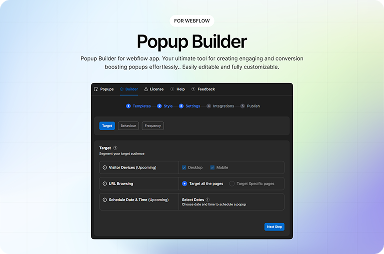
Templates save time only when you replace placeholder copy on day one. Align typography with your type scale, swap colors to brand tokens, and test the modal on smallest and largest breakpoints. FlowAppz Popup Builder ships with layouts you can adapt quickly instead of sketching from zero for every launch.
Frequency caps are a trust feature
“Show once per session” is a baseline. Consider:
- Cooldown days before repeat visitors see the same offer.
- Suppression after signup or purchase.
- Route-based rules so blog readers are not hit with the same promo as pricing page visitors.
Your analytics should tell you whether a second impression ever helps; often it does not.
Placement vs interruption
Entry modals can work for urgent compliance or region gates, but marketing offers often perform better after intent—scroll depth, time on page, or exit intent with sane thresholds. Pair triggers with Webflow interactions so motion feels consistent with the rest of the site.
Accessibility
Focus must move into the modal, Tab cycles inside until closed, and Escape closes when appropriate. Do not trap keyboard users. Ensure contrast on close icons over photography.
Summary
Respectful popups are designed, not toggled on in a dashboard. Use a Webflow-native builder for templates, frequency controls, and styling that stays inside the Designer workflow—see Popup Builder.


