









Form Fields Pro: building serious Webflow forms without custom code
Where native Webflow forms start to strain
Webflow’s form block is excellent for straightforward lead capture. The friction appears when product teams ask for conditional steps, rich validation, scheduling, or numeric ranges—patterns that are tedious to bolt on with custom attributes and embeds. Each workaround adds QA surface and makes handoff documentation longer than the form itself.
Design the form as a system before you style it
Start with a short field spec: required fields, optional fields, error copy, and what “success” means (redirect, CMS item, both). Map that to components:
- Field groups as symbols for repeated spacing and label rhythm.
- Step containers if you use a multi-step pattern—each step should have a single primary action.
- Validation messages that read in plain language, not developer jargon.
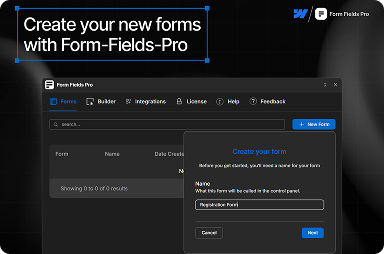
FlowAppz Form Fields Pro adds field types and patterns that stay editable in the Designer so you are not dropping opaque iframes into the layout.
Multi-step forms: keep momentum
Multi-step flows fail when users do not know how far they have left. Show progress and persist answers between steps where possible. On Webflow, interactions can reveal steps, but you still need predictable focus order and keyboard support—do not rely on hover-only affordances.
Validation that matches brand voice
“Invalid input” is not a brand moment. Align error strings with marketing tone: short, specific, and next to the field that failed. Group server-side and client-side rules so designers know which messages appear when.
Accessibility checklist
- Every input has a visible label (placeholder-only is not enough).
- Focus states are obvious on your purple buttons and ghost inputs.
- Error summaries appear above the form on submit for screen-reader users.
Handoff tips for agencies
Document which pages host which forms, which integrations receive submissions, and what UTM fields are expected. Your future self—and the client’s new vendor—will thank you.
Why Form Fields Pro fits Webflow teams
It keeps advanced inputs inside the Webflow mental model: components you place, style, and duplicate like any other block. That reduces the “only our last dev understands this form” risk.
Explore Form Fields Pro when your next build needs more than the basics—without shipping a bespoke JavaScript framework per project.


